
Vulnerabilities
View as MarkdownHow scanning works
Section titled “How scanning works”- After each collection (or on demand), the worker builds a CycloneDX SBOM with Trivy:
- Servers and CTs: InfraWard copies the package databases (dpkg, apk, rpm) through the restricted helper and Trivy reads them on the worker. Nothing is installed on the server.
- Container images: the image is exported with
docker save(orpodman saveon Podman hosts) and scanned on the worker. Images are never run. Images over 4 GiB (TRIVY_MAX_IMAGE_SIZE) or that take longer than 15 minutes (TRIVY_SCAN_TIMEOUT) are marked as not scanned, with the reason.
- The SBOM is stored. Every 24 hours (
SBOM_REEVALUATE_INTERVAL) stored SBOMs are evaluated again against the latest Trivy database, without connecting to any machine. A CVE published today shows up on affected assets the next day even if nothing was rescanned. - CISA KEV and FIRST EPSS are downloaded every 12 hours (
VULN_INTEL_INTERVAL). - Every finding gets a priority score.
The Trivy database is downloaded at most every 12 hours (TRIVY_DB_MAX_AGE) by a single replica and shared by all through data/worker.
Priority
Section titled “Priority”Each finding gets a score from 0 to 100 built from:
| Factor | Effect |
|---|---|
| CVSS base score (or severity if there is no CVSS) | Base: CVSS × 4 |
| Listed in CISA KEV (known exploited) | +30 |
| EPSS probability | +15 (≥ 50 %), +10 (≥ 10 %), +4 (≥ 1 %) |
| A fix is available | +5 |
| The package belongs to a running process, or the image has running containers | +5 |
| The process or container listens on a non-loopback address | +10 |
| A public domain name points to the asset | +10 |
| Image with no containers using it | × 0.5 |
Bands: Urgente (Urgent) from 70, Alta (High) from 50, Media (Medium) from 30, Baja (Low) below. Each finding keeps its reasons, so the list says why it is urgent: en KEV · EPSS 92 % · expuesto en 22 (sshd) · parche disponible.
A critical finding that is in KEV and exposed sends an immediate notification (the bell in the top bar, and the alert channels if you configured any). The rest go to the dashboard.
Some findings are hidden from the main view, with their reason, because they rarely need action:
- Kernel not in use: CVEs of installed kernels other than the running one, and of kernel headers and tools. On RHEL-family servers dnf keeps the previous kernels installed, and Trivy reports every CVE fixed since then for each of their packages. These findings are not counted in the summaries of the asset, the inventory tree, projects or the dashboard; the asset’s summary shows how many were left out.
- No fix planned: findings that the distribution marks as
will_not_fixorfix_deferred. A CVE in KEV is never hidden for this reason. - Unused images: findings in images with no containers are not counted as actionable.
Incluir lo oculto (Include hidden) and Ver todas (Show all) bring them back.
The vulnerability list
Section titled “The vulnerability list”Vulnerabilidades shows one row per CVE, sorted by priority, with its reasons, severity, affected packages, how many assets it affects and whether a fix exists.
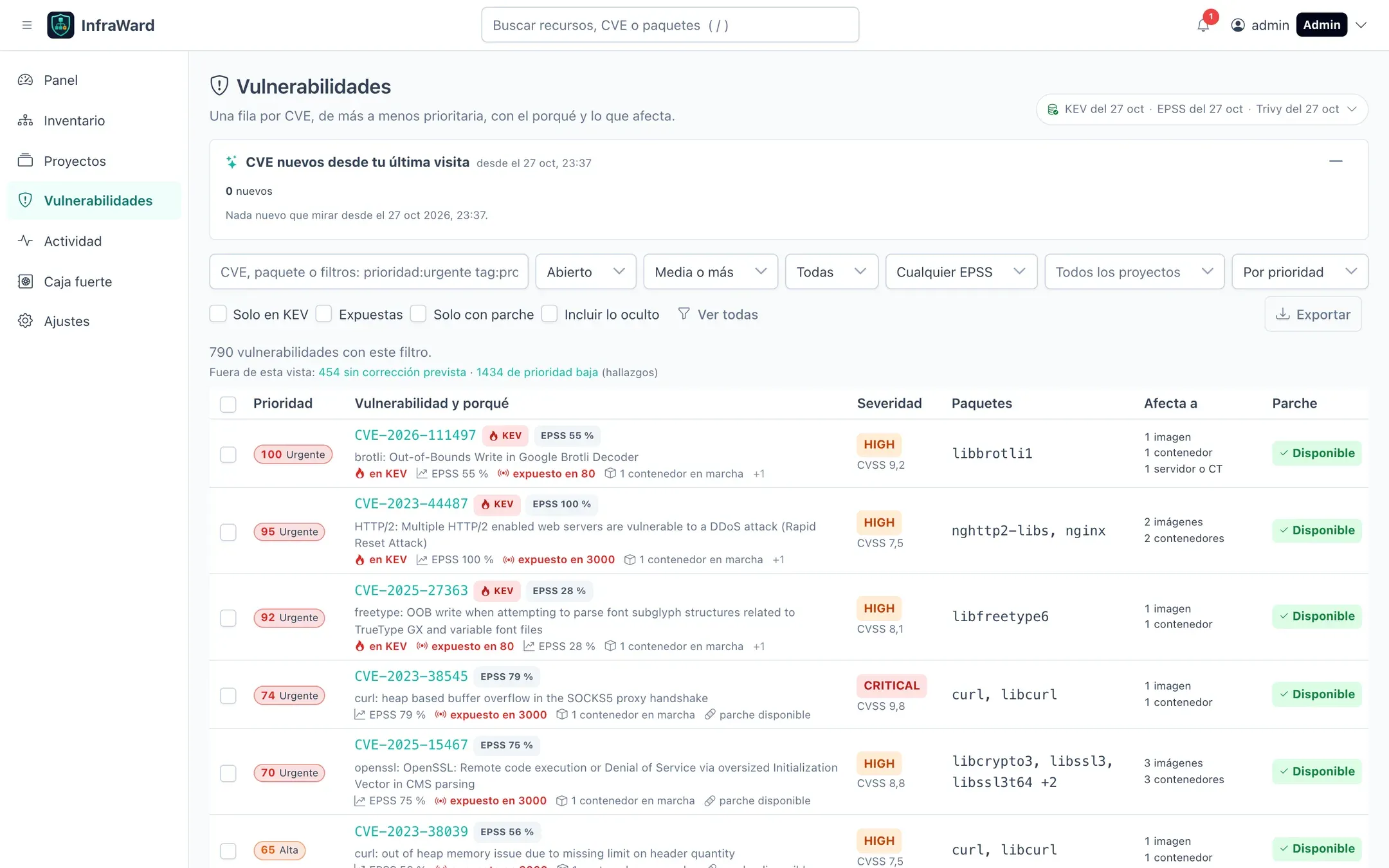
- The header shows the date of each data source (KEV, EPSS, Trivy). It turns amber if a source failed or is more than three days old. Open it to see details and refresh KEV and EPSS by hand.
- CVE nuevos desde tu última visita (New CVEs since your last visit) lists what appeared since you last opened the page.
- Filters: state, minimum priority, severity, EPSS, project, Solo en KEV (KEV only), Expuestas (Exposed), Solo con parche (Fix available only). The search box accepts CVE IDs, package names and filters such as
prioridad:urgente tag:prod. - Exportar (Export) downloads the current view as CSV or JSON.
- The global search in the top bar also finds CVEs and packages: what is affected by CVE-2024-3094? is one search away.
CVE details
Section titled “CVE details”Selecting a CVE opens its page: description, CVSS from each source, CWE, publication dates, KEV status with the CISA deadline, EPSS percentile, references, and every affected asset with the package, the exposed ports and a suggested action.
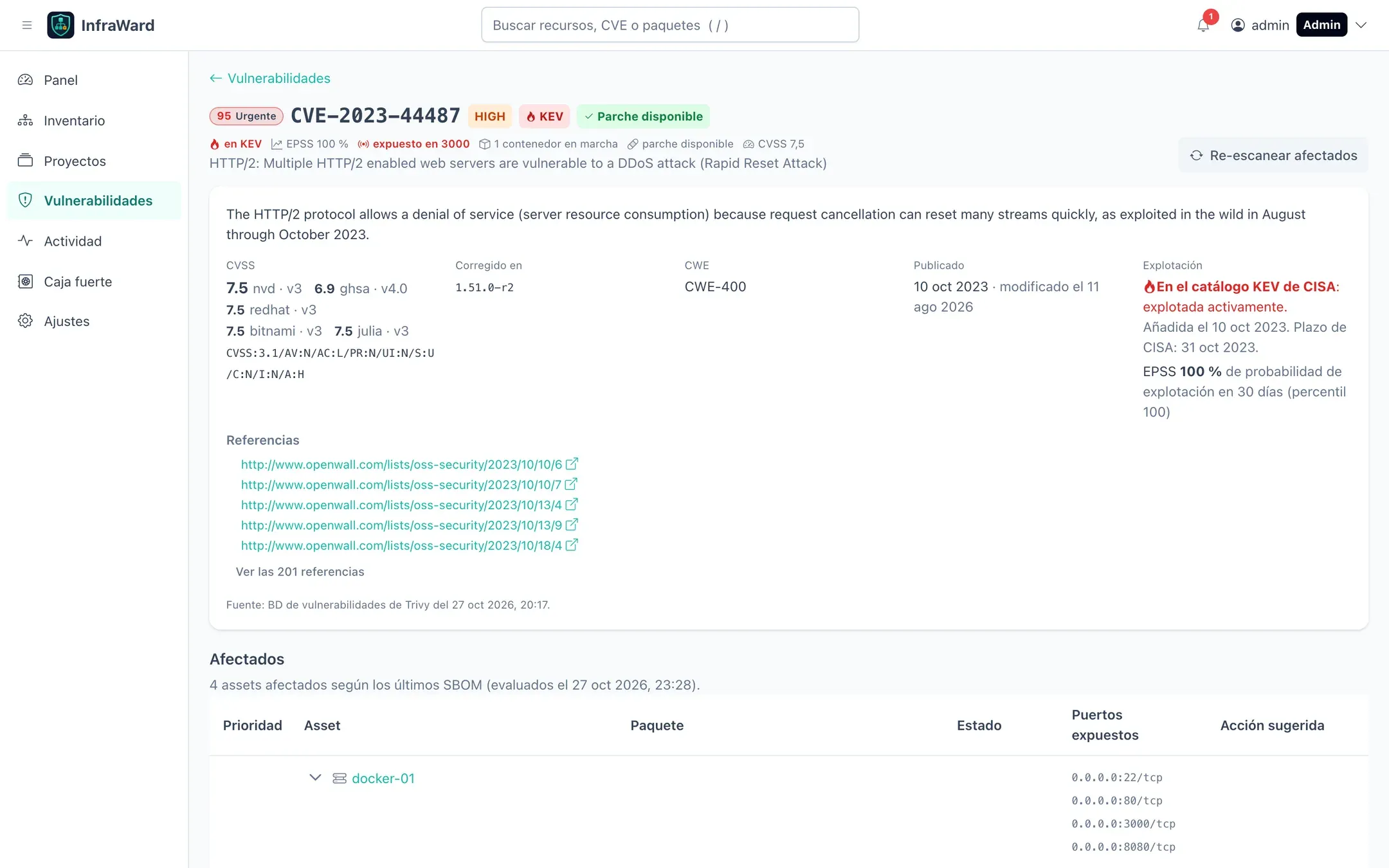
Re-escanear afectados (Rescan affected) queues a scan of every affected asset, which is useful after patching. Aceptar el riesgo (Accept the risk) is next to it; see below.
Per-asset view
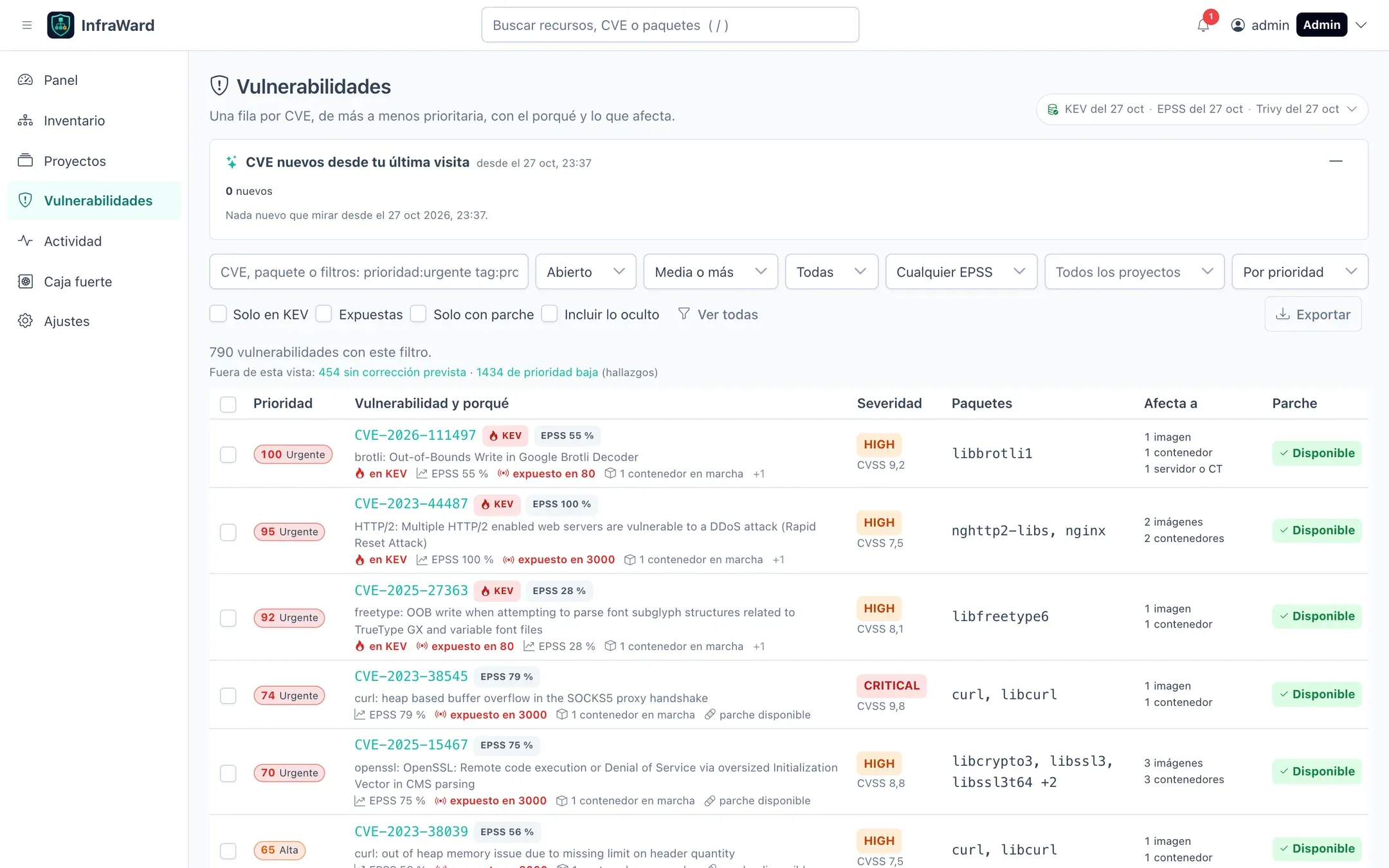
Section titled “Per-asset view”The Vulnerabilidades tab of each asset lists its findings with the same priority. By default it shows open CRITICAL and HIGH findings that have a fix and hides noise, like the main list, saying how many findings were left out. Switch the filters, or select Incluir lo oculto (Include hidden), to see everything.
Accepting a risk
Section titled “Accepting a risk”When a vulnerability does not need a fix now (it is not exploitable in your setup, it is mitigated, there is no patch yet), accept its risk instead of leaving it open:
- From the CVE page: Aceptar el riesgo for every affected asset, or Aceptar next to one package on one asset.
- From the vulnerability list: select CVEs and use Aceptar el riesgo in the bulk bar. With a project selected, it only applies to that project’s assets.
The dialog asks for a Motivo (Reason, 10 to 1000 characters, mandatory) and an optional Fecha de caducidad (Expiry date, at most one year ahead).
- Accepted findings stop counting as open, but still appear as affected, with the state Aceptado (Accepted) and who accepted them, when and why.
- When the expiry date passes, the finding reopens automatically and a notification is sent.
- If a later scan no longer sees the vulnerability, the finding is marked as fixed.
- Reabrir aceptados (Reopen accepted) on the CVE page undoes the acceptance.
Accepting and reopening are recorded in the audit log and require the findings.accept permission (Admin and Editor).
Excluding assets from scanning
Section titled “Excluding assets from scanning”Use the inventory policy (global, per tag, per project or per asset) to turn scanning off or exclude asset types, name patterns such as bitnami/* or specific assets. Excluded assets stay in the inventory. Volumes and networks are never scanned. See Initial setup.
Restricted networks
Section titled “Restricted networks”| Source | Default URL | Without Internet access |
|---|---|---|
| Trivy database | Trivy’s public registries (mirror.gcr.io, ghcr.io) |
Required. Scans cannot run without it. |
| CISA KEV | https://www.cisa.gov/sites/default/files/feeds/known_exploited_vulnerabilities.json |
Set KEV_URL to a mirror, or leave it empty to disable. |
| FIRST EPSS | https://epss.empiricalsecurity.com/epss_scores-current.csv.gz |
Set EPSS_URL to a mirror, or leave it empty to disable. |
If a KEV or EPSS download fails, the previous data is kept and the source shows the error in the header.